The 3D Room
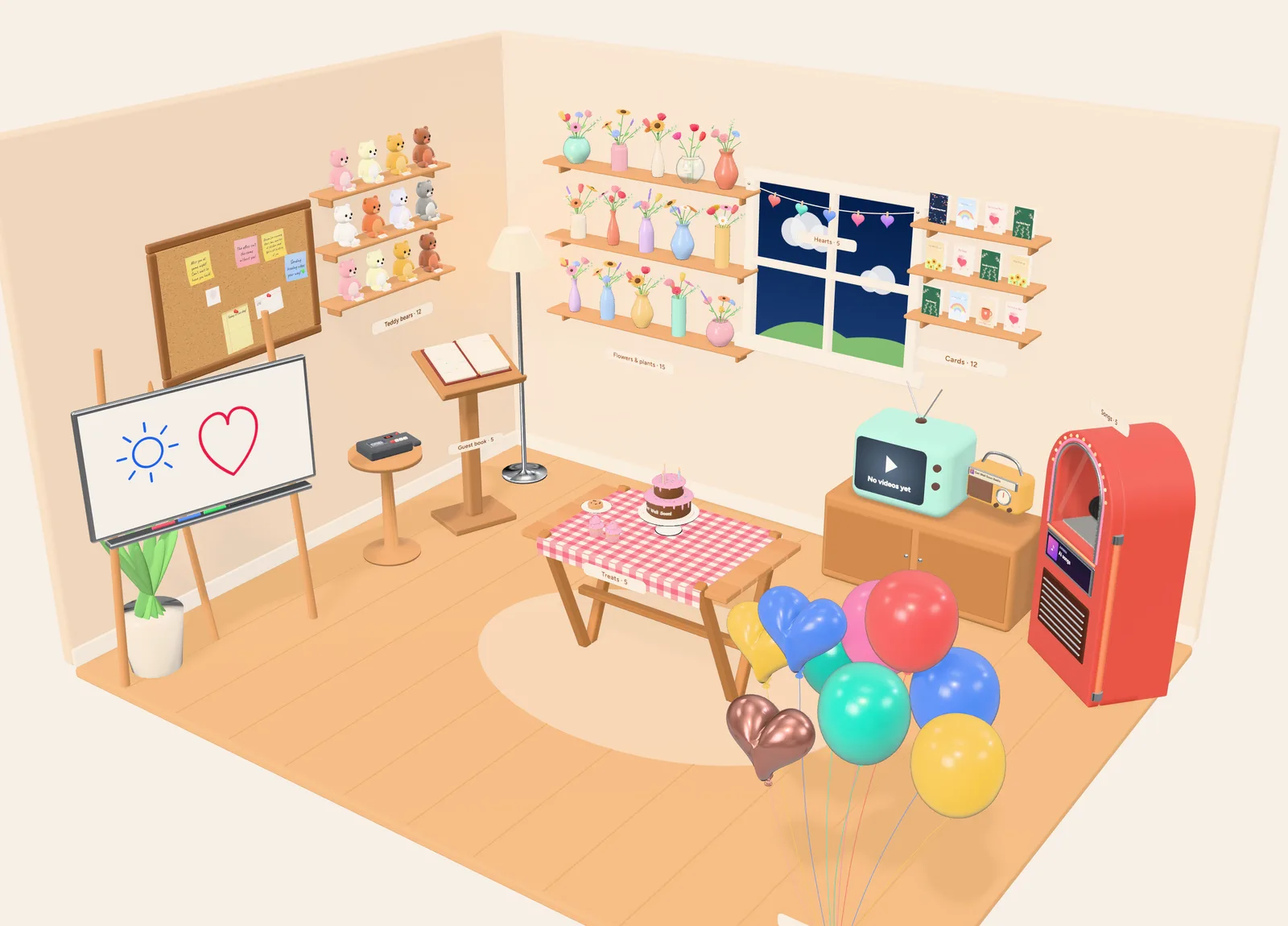
Every Get Well Soon Room can be explored in 3D, as one cosy room with everything people made in its place. It's free in every room, and it fills up on its own as people add things.
Getting in
At the top of every room there's a 3D and List switch. Choose 3D and the door opens; choose List to see every module one under the other. The room remembers which view you used last.
What's in it
Almost everything in the 3D room holds the real things people added:
- Shelves with the cards, the bouquets and plants, and the teddy bears.
- A table with the treats from the bakery and the cake everyone decorated.
- A jukebox and a radio that play the songs on the playlist.
- A TV and an answering machine for the video and voice messages.
- A corkboard with the photos, notes, and stickers, and an easel with the whiteboard drawing.
- A string of hearts across the window, and the guest book open on a stand.
- A bunch of balloons, every balloon in the shape and color its sender chose.
- Decorations around the room: a fireplace, string lights, a sleeping cat, whatever people added. Each kind has its own spot, and the floor lamp and fern stay until someone decorates those corners.
Moving around
On a phone or tablet
- Tap an object and the camera glides over to it, with a card saying what it is. Tap "Open" to look closer.
- Drag to slide around, and pinch to zoom.
- "Pull back" (top left of the room) steps out one level: from a gift to its shelf, then to the whole room. "Reset" goes straight to the whole room.
- "Jump to" lists everything in the room; "Whole room" takes you back out.
- The walk pad in the corner moves you around; hold a button to keep moving.
On a computer
- Click an object to go to it, then "Open". Drag to slide the room; hold Shift or use the right button to look around.
- W A S D walk, Q E turn, R F look up and down, the plus and minus keys zoom.
- Double-click the floor to walk there. Esc pulls back one step, Space shows the whole room.
Opening things
Open the guest book, the treats table, or any shelf and the camera goes to it while the module opens in a panel beside the room (below it on a phone), with everything you can do there: read, play, or add your own. You never leave the room. Close the panel with ×, "Pull back", Esc, or your browser's Back button.
The 3D room is live too. A new balloon floats into the bunch and a new card lands on the shelf while you're looking.
Older phones
The 3D view needs a phone or computer that can show 3D. On an older device the List view always works, with exactly the same content.